Stop babysitting your agents
Step away from your Mac and Claude Code stalls on the next permission prompt. Flint puts every Claude Code and Codex session from your Mac on your iPhone: approve, reply in the chat or take over the whole screen.
macOS 15 or later · iPhone with iOS 17 or later
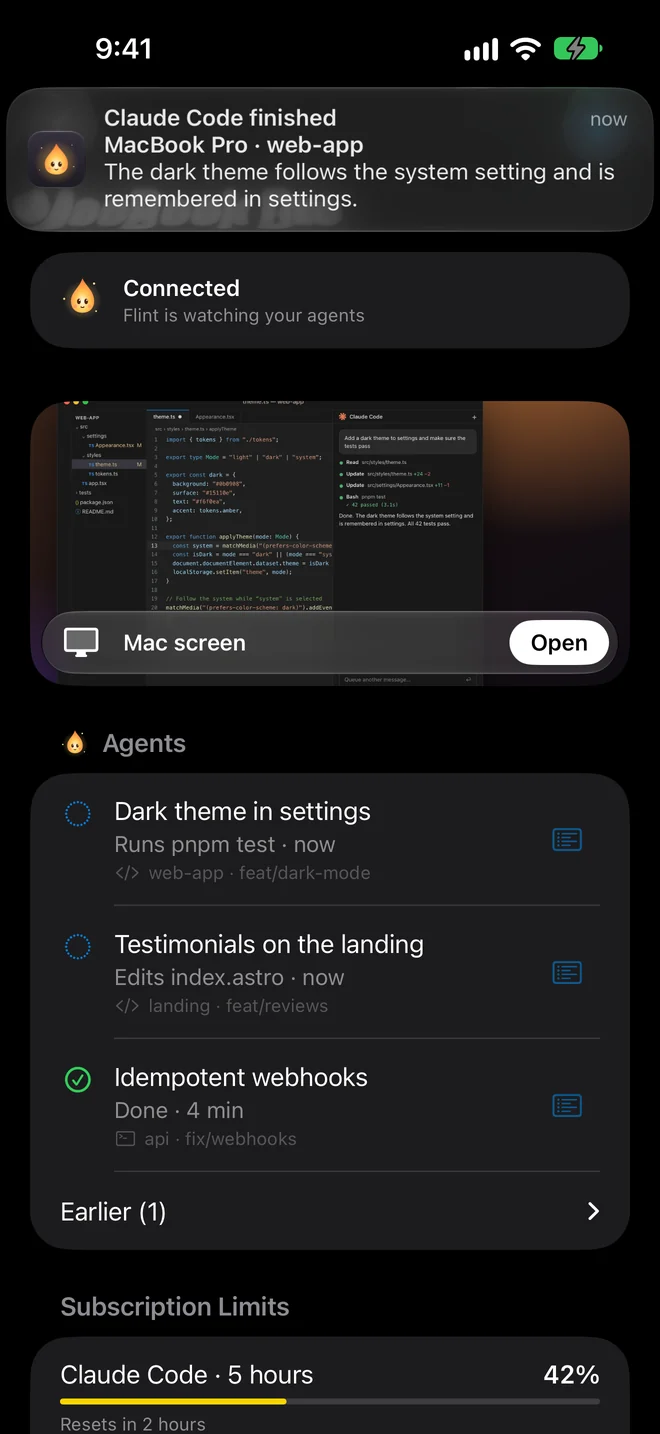
What it works with
Notifications, approvals, chat and limits
Wherever they run
Through your Mac’s screen
Any agent, IDE or app, with full control: mouse, keyboard and clipboard.
Every session in the notch
Right under the camera you see which agent is working, which one is waiting for you and how much of your subscription limit is left. On Macs without a notch the panel sits at the top edge of the screen.
A notification when an agent is done
The session drops out of the notch on your Mac, and your iPhone gets a notification with the first line of the reply. Tap it to open the chat.
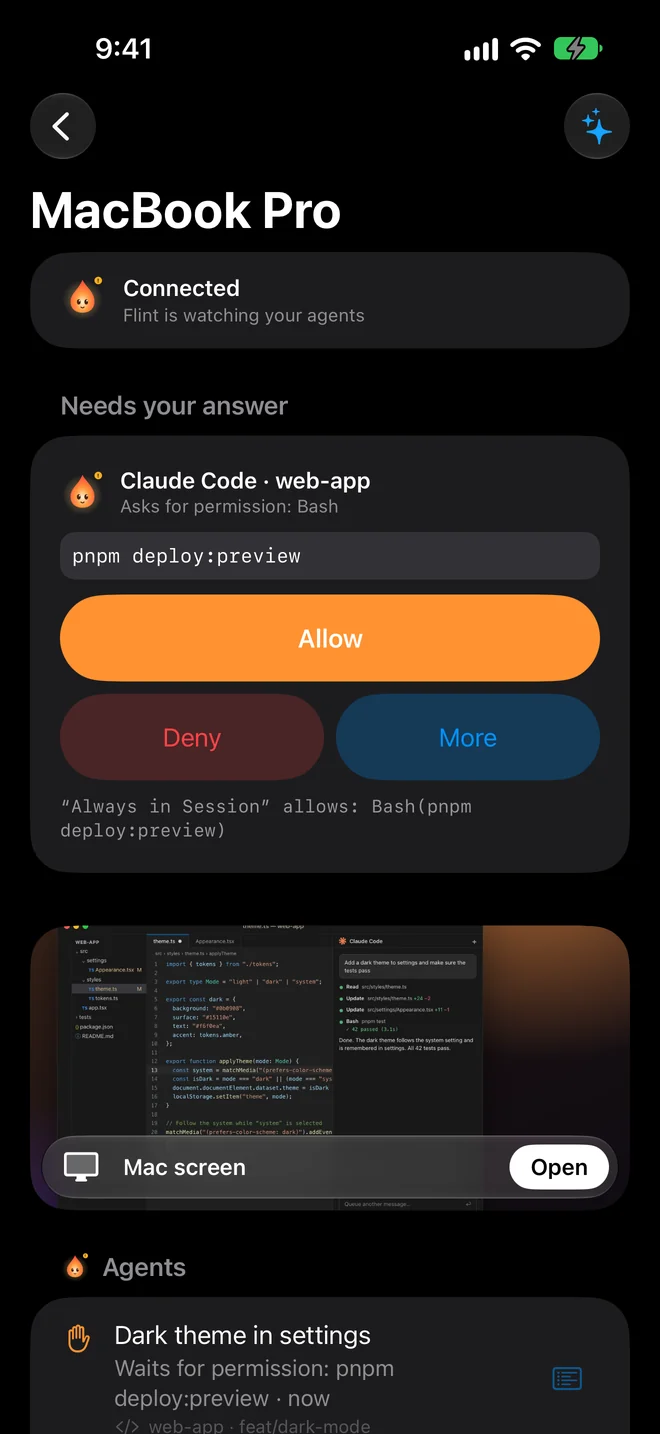
Approvals from your iPhone
The request shows the whole command. Allow it once, for the rest of the session, deny it, or answer in the agent itself. Requests arrive as time-sensitive notifications.
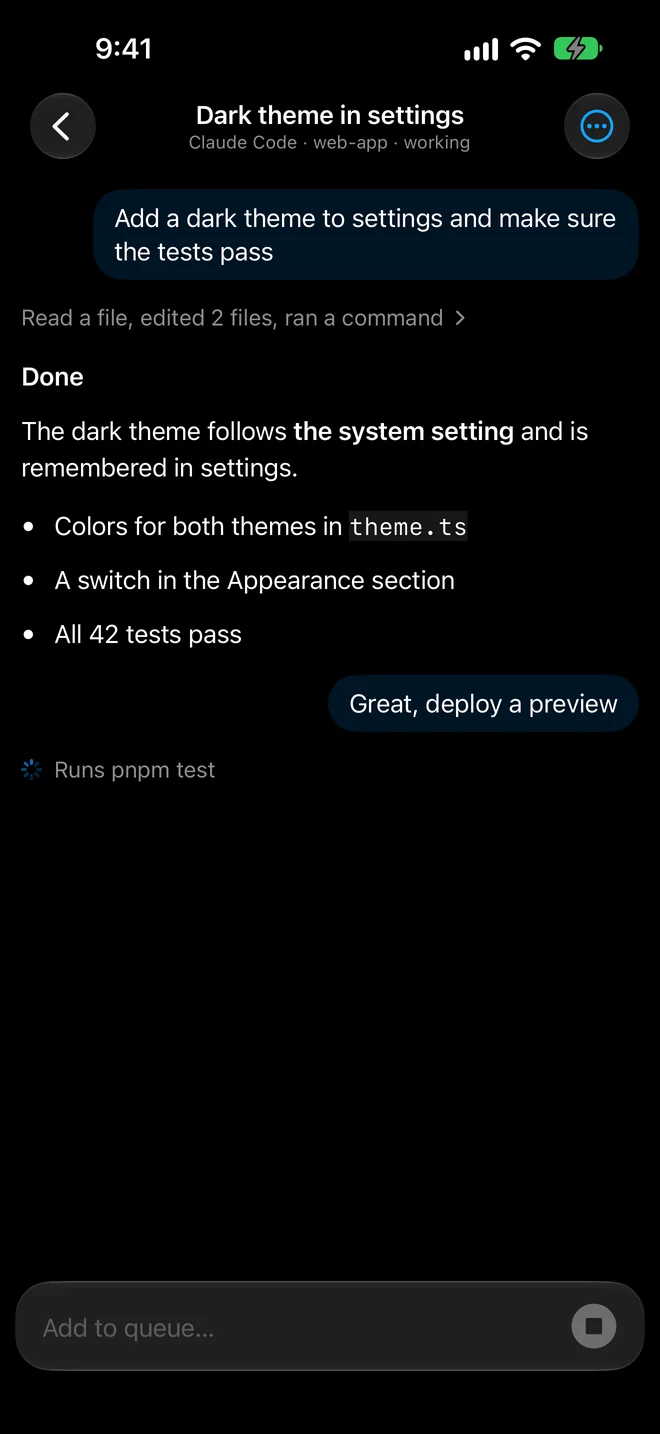
The chat with your agent
The session reads like a chat, with the agent’s steps folded into one line such as “Read a file, edited 2 files, ran a command”. Your reply goes straight into the session in VS Code, Terminal or iTerm2, and waits in a queue while the agent is busy.
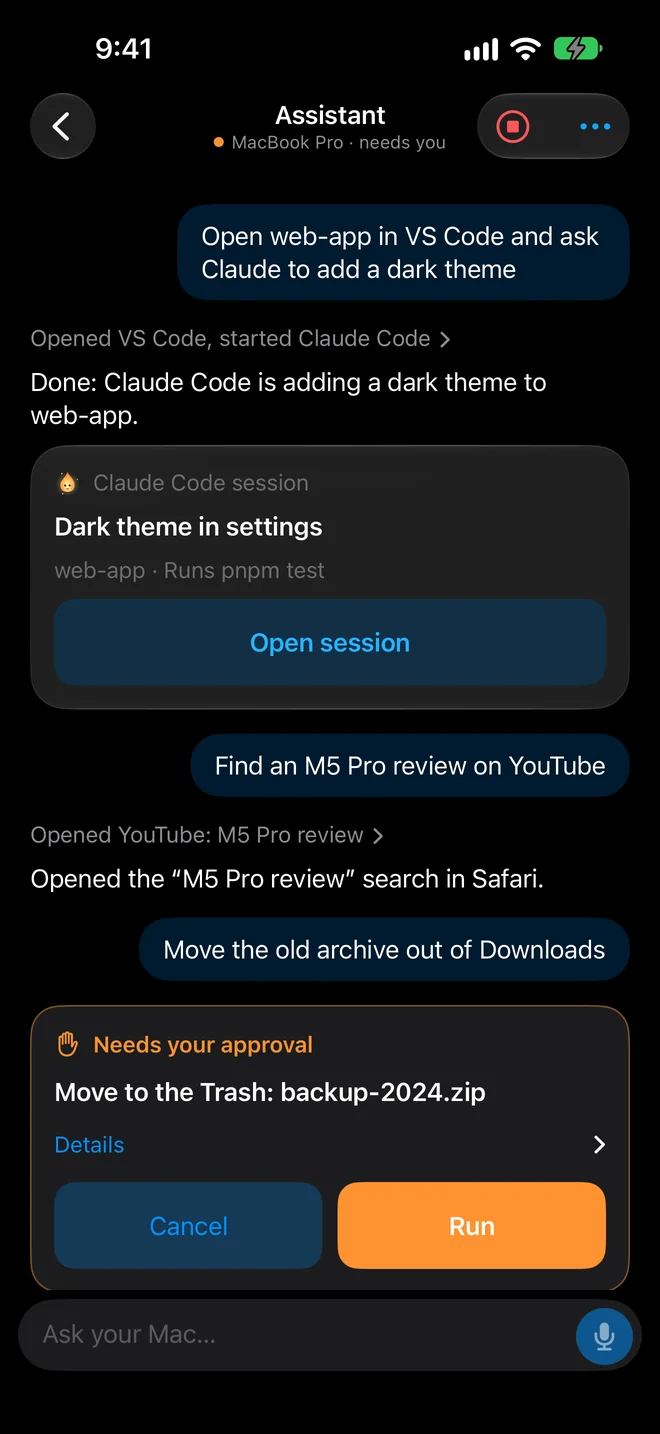
A local assistant
Ask your Mac to open a project, find a file or a site, by text or by voice. The model runs on the Mac itself, so your requests don’t go to the cloud.
Your Mac’s screen on your iPhone
For when you need to finish something by hand: mouse and keyboard, clipboard, switching displays. Works with any editor and agent, OpenCode included.
What the assistant can do
It runs on a model installed on your Mac and understands requests in English and Russian.
- Looks at the screen
- Reads app interfaces and sees what is open.
- Clicks and fills in
- Buttons, fields and typing in the app you name.
- Files, sites and windows
- Opens projects and sites, moves windows, works with the clipboard.
- Asks before acting
- You decide how independent it is. Terminal and AppleScript work only if you turn them on.
- Voice
- Speech is recognised right on your iPhone or Mac, not in the cloud, and the answer can be read aloud.
- Works offline
- The model is downloaded once, about 3.5 GB, and then works without the internet.
How to connect
Install Flint on your Mac
Open the downloaded file and drag Flint to Applications.
Allow access
Grant Screen Recording and Accessibility in System Settings.
Scan the code
Open Flint on your iPhone and point the camera at the QR code on your Mac.
Runs on your subscriptions and your Mac
- Your agents run on your own Claude and ChatGPT subscriptions. No API keys.
- Flint never queries Claude or Codex on its own and never reads your tokens, so it doesn’t use up your limits.
- The connection between iPhone and Mac is encrypted, and pairing keys stay in Keychain.
- No accounts, ads or analytics.
Questions
Do I need an API key?
No. Claude Code and Codex keep running on your Mac with your own subscriptions. Flint only shows you what they do and passes your answers back.
Which agents and editors work?
Claude Code and Codex get notifications, approvals and the chat in VS Code, Cursor, Windsurf, VSCodium, Terminal, iTerm2, Ghostty and Warp. Any other agent or app works through your Mac’s screen.
Does Flint see my code?
Flint shows your iPhone what your agents report and what is on your Mac’s screen, only to your paired iPhone. We don’t run a cloud that stores your sessions.
Do my Mac and iPhone need the same Wi-Fi?
No. Flint works on the same network, over Tailscale, or through a public address configured on your Mac.
Which Mac do I need?
Any Mac with macOS 15 or later. Your iPhone needs iOS 17 or later.

Download Flint for Mac
The iPhone app is coming to the App Store.